

Cleaning your TV screen safely is essential to avoid permanent damage to delicate anti-glare coatings. Many people unknowingly ruin their expensive televisions by using household cleaners or damp cloths, which can strip protective layers and even void the warranty. In this guide, we'll explain the right way to clean your TV and recommend a reliable cleaning kit that includes everything you need.
Why Improper Cleaning Can Ruin Your TV
Modern TV screens are not simple glass; they have multiple thin coatings, including anti-reflective and protective layers. These layers are sensitive to harsh chemicals and excessive moisture. Using a damp cloth or a generic glass cleaner can cause streaks, cloudiness, or even permanent damage. Worse, many manufacturers explicitly state that using non-recommended cleaning products voids the warranty. So, it's crucial to use products designed specifically for screens.
Find Original Home Decor sparking conversation at Grand Goldman Shop.

Step-by-Step Guide to Cleaning Your TV Screen
Follow these steps to clean your TV without causing damage. Always turn off and unplug the TV before cleaning—this prevents streaks and allows you to see dust more clearly on the dark screen. The background to this story is set out in Kärcher SC1 Floor Kit Steam Cleaner: Deep Clean Without Chemicals. A related thread runs through Palazzetti Stove Cleaning Kit for Pellet Stoves & Fireplaces. Earlier coverage in Wasps & Hornets: Identify and Eliminate Nests Safely shows how the argument developed.
- Turn off and unplug the TV to avoid marks and damage to the coating.
- Use a dry microfiber cloth to gently remove dust without pressing hard.
- For fingerprints or stubborn marks, use a screen-specific cleaner sprayed onto the cloth, not directly on the screen.
- Wipe gently in a circular motion, then use a dry part of the cloth to remove any moisture.
- Allow the screen to dry completely before turning the TV back on.
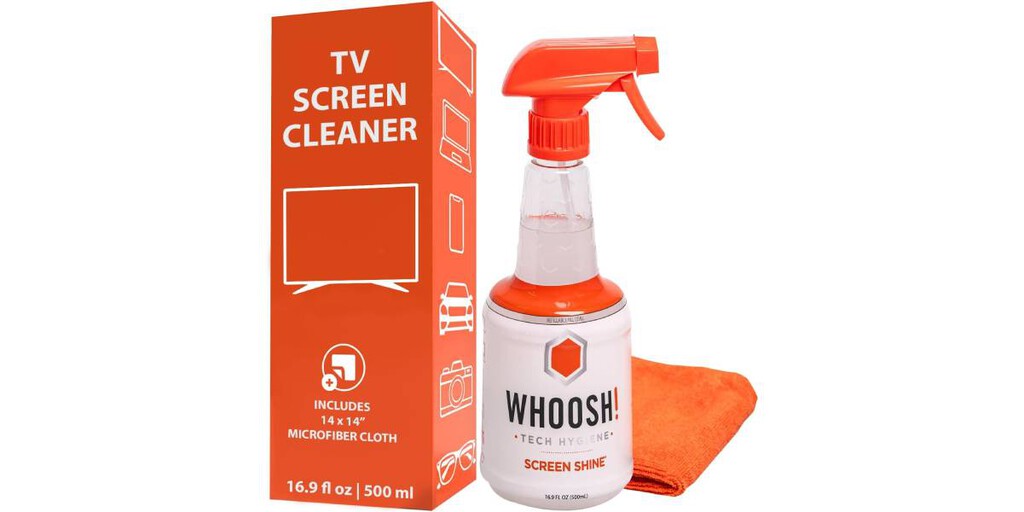
Recommended Cleaning Kit: WHOOSH! Screen Cleaner
If you're unsure which products to use, the WHOOSH! cleaning kit is a safe and effective option. It includes a microfiber cloth and a screen cleaner formulated to be safe on all types of screens. The kit costs €29.99 and provides everything you need for routine cleaning. Using a dedicated kit ensures you won't accidentally damage your TV's delicate coatings. A closer look at the same subject appears in Oriental Hornet: How to Identify & Eliminate It Safely. Anyone following the wider picture can start with Wasps & Hornets: How to Identify and Remove Nests Safely. The same theme surfaces in Learn how to clean the pipe in your bathroom or kitchen in simple steps, which takes a different angle.
What to Avoid When Cleaning Your TV
Some common mistakes can lead to irreversible damage. Avoid using paper towels, which can scratch the screen, and never spray liquid directly onto the display. Also, stay away from alcohol-based cleaners, ammonia, or vinegar, as these can degrade the anti-glare coating. Even water alone can leave streaks if not dried properly. Always use a microfiber cloth and a cleaner designed for electronics. Context on how this played out before sits in Trending: latest articles. A companion piece, How to Clean Your TV Screen Safely: Avoid Damage with the Right Cleaning Kit, approaches the same subject from another angle.
Comparison of Cleaning Methods
| Method | Risk Level | Effectiveness | Recommended? |
|---|---|---|---|
| Dry microfiber cloth | Low | Good for dust | Yes |
| Screen cleaner + microfiber | Low | Excellent for marks | Yes |
| Damp cloth with water | Medium | Can leave streaks | No |
| Glass cleaner (e.g., Windex) | High | Damages coating | No |
| Paper towels | High | Can scratch | No |
FAQ
Can I use water to clean my TV screen?
It's not recommended to use water alone, as it can leave streaks and moisture may damage the screen if it seeps into the edges. Always use a screen-specific cleaner.
How often should I clean my TV screen?
Clean your TV screen every few weeks or as needed to remove dust and fingerprints. Regular gentle cleaning prevents buildup that could require more aggressive methods.
What should I do if I've already used a damp cloth?
If you've used a damp cloth, dry the screen immediately with a dry microfiber cloth to prevent moisture damage. Check for streaks or discoloration; if present, the coating may be damaged.
Does cleaning my TV void the warranty?
Using non-recommended cleaning products can void your warranty. Always refer to your TV's manual for approved cleaning methods and products.
Protecting your TV screen is an investment in its longevity. By following these guidelines and using a proper cleaning kit, you can keep your display looking pristine for years to come.







