

Building an AI chatbot with NotebookLM lets you create a personalized assistant that answers questions based solely on your own documents and files. This guide shows you how to set up NotebookLM, upload your sources, and interact with an AI that sticks to your data.
What Is NotebookLM and Why Use It for a Custom Chatbot?
NotebookLM is a tool that uses Google's Gemini model to process and generate responses. Unlike general chatbots, it restricts its answers to the sources you provide, making it ideal for research, study, or business use. This ensures accuracy and relevance to your specific information.
Find Original Home Decor sparking conversation at Grand Goldman Shop.

The tool is free to use with a limit of 50 sources per notebook. For more sources, you can opt for a paid plan. This makes it accessible for individuals and small teams.
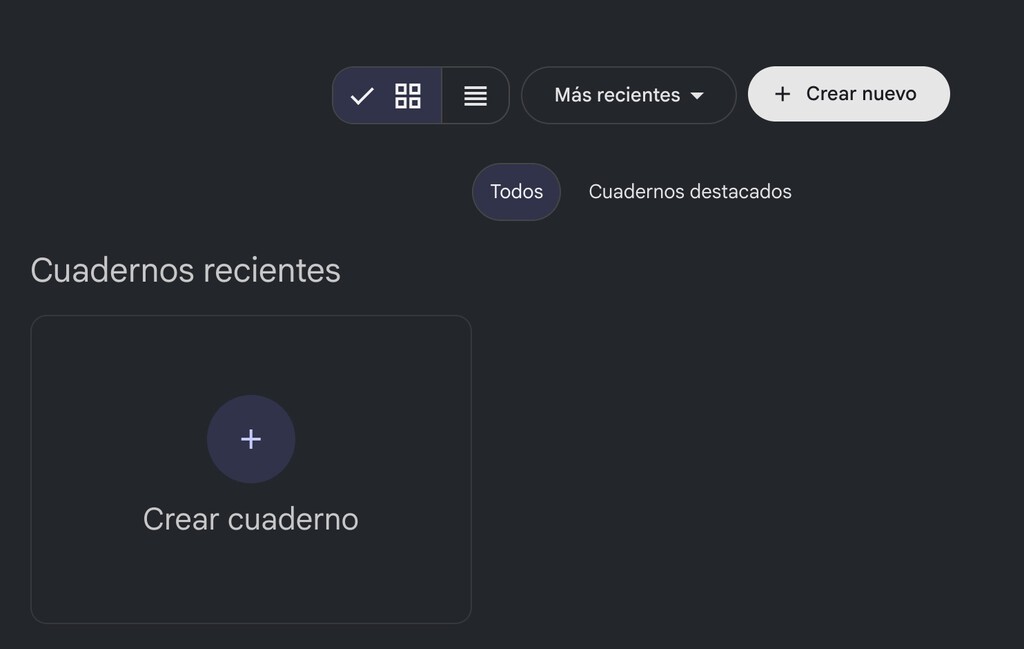
Step-by-Step: Creating Your Notebook and Uploading Sources
First, go to notebooklm.google.com and create a new notebook. You'll be prompted to upload your first source. NotebookLM supports various formats: websites, PDFs, images, documents, audio files, YouTube videos, Google Drive folders, and copied text.
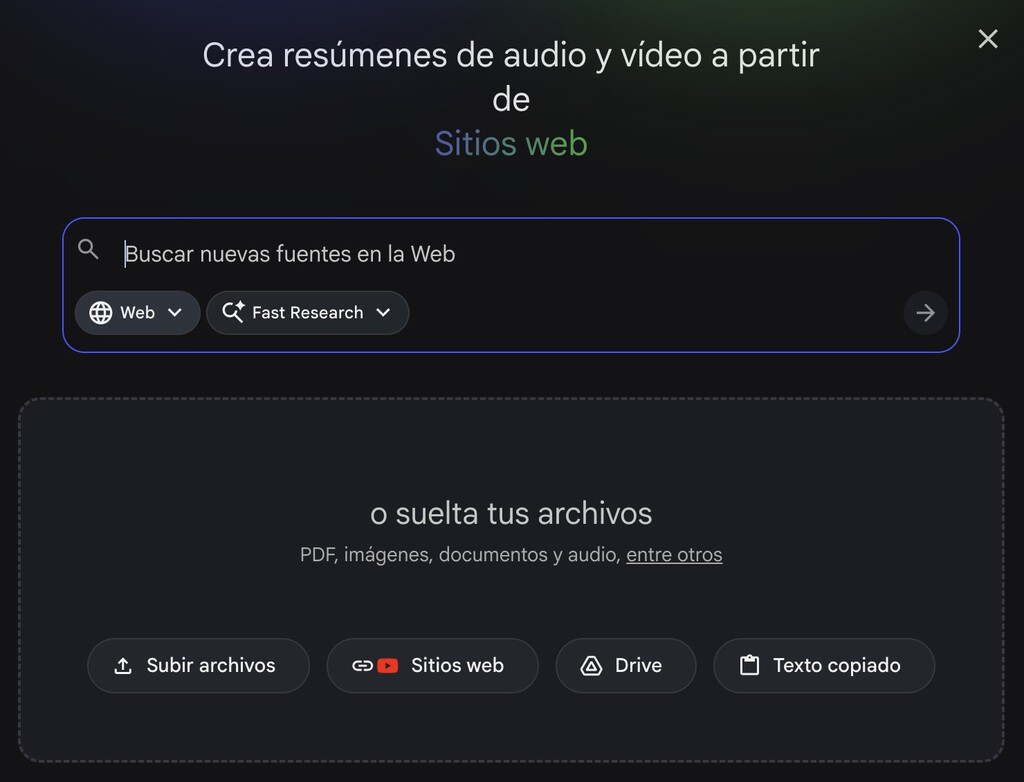
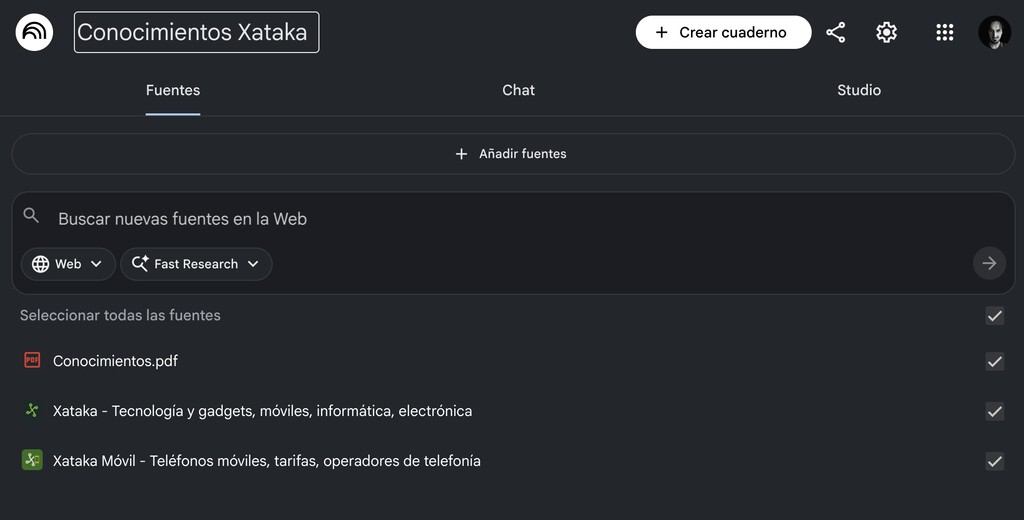
Once you upload a source, your notebook is created. You can continue adding more sources up to the free limit. The AI will then use these sources to answer your questions.
Supported Source Types
- Websites: Provide a URL to extract content.
- Files: Upload PDFs, images, documents, or audio.
- YouTube videos: Use video transcripts as sources.
- Google Drive: Import folders directly.
- Text: Paste text manually.
How NotebookLM Ensures Answers Are Based on Your Sources
NotebookLM uses Gemini to understand your questions and generate responses. However, it only draws from the sources you've uploaded. This means you get answers that are grounded in your data, reducing hallucinations and improving reliability.
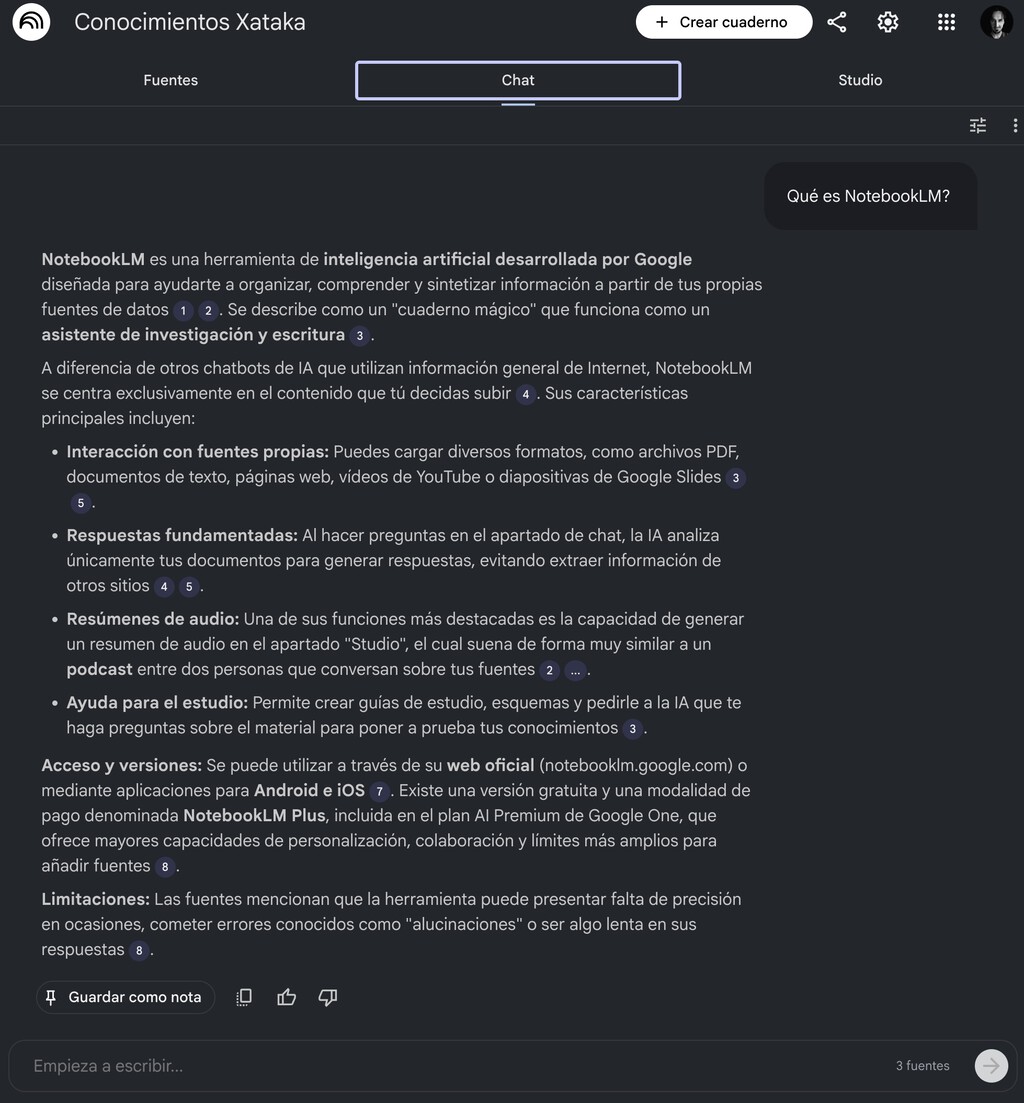
This is particularly useful for professionals who need to query large document sets without exposing data to external training.
Comparison: NotebookLM vs. General AI Chatbots
| Feature | NotebookLM | General AI Chatbot |
|---|---|---|
| Answer source | Your uploaded documents | Pre-trained knowledge |
| Customization | High (based on your sources) | Low (fixed knowledge) |
| Data privacy | Your data stays in your notebook | Data may be used for training |
| Free tier | Up to 50 sources | Varies |
Practical Applications and Benefits
You can use NotebookLM for customer support, internal knowledge bases, academic research, and more. By training the AI on your documents, you ensure consistent and accurate responses.
For businesses, this means faster query resolution and reduced training time for new employees. The background to this story is set out in Create a Specialized AI for Your Next Trip with NotebookLM.
FAQ
How many sources can I upload for free?
You can upload up to 50 sources per notebook for free. Beyond that, you need a paid plan.
Can I upload audio and video files?
Yes, NotebookLM supports audio files and YouTube videos as sources, along with PDFs, images, documents, and text.
Is my data used to train the AI?
NotebookLM uses your sources only for your notebook. Your data is not used to train the underlying model.
What model does NotebookLM use?
NotebookLM is powered by Google's Gemini model, which handles comprehension and text generation.
If you're self-employed and need to manage social security contributions while building your AI tools, understanding the special agreement with Social Security is essential. This agreement allows you to continue contributing even when not working, ensuring coverage.
Many freelancers wonder how to handle taxes and contributions when income varies. The convenio especial con la Seguridad Social provides a way to maintain contributions during periods without work, which can be crucial for long-term benefits.
For those developing AI solutions, it's important to stay informed about legal and financial obligations. The special agreement with Social Security is one such consideration that can affect your planning.
As you explore AI tools like NotebookLM, remember that managing your professional status is equally important. Learning about the convenio especial can help you make informed decisions about your contributions.
Whether you're a developer or a business owner, understanding both technology and administrative responsibilities is key. The special agreement is a valuable tool for maintaining social security coverage while pursuing innovative projects.
In conclusion, NotebookLM offers a powerful way to create a custom AI chatbot based on your documents. By following the steps outlined, you can leverage this tool for enhanced productivity and accurate information retrieval.







