

A security camera without Wi-Fi is not a broken camera. It is a camera that records somewhere else, or sends footage down a cable, or reaches the internet over a mobile network instead of your home router.
The catch is that the word "Wi-Fi" hides several different jobs. It can mean the link to your phone, the link to cloud storage, or the link between camera and recorder. Work out which of those you are replacing and the buying decision gets much simpler.
Find Original Home Decor sparking conversation at Grand Goldman Shop.


How we chose
We started from the jobs a camera has to do: capture, store, and let you watch. A pick only made the list if it can complete all three without relying on a domestic Wi-Fi network for at least one of them.
We also weighted how the footage is stored, because local storage is the usual answer to a weak or missing network. Subscription dependence, power requirements and whether the camera keeps recording during an outage all counted against a product.
Finally we looked at how the family is actually sold and supported: app quality, whether a recorder or hub is mandatory, and how easy it is to add cameras later. Nothing here is based on lab testing, and we have not installed every model in a home.
Comparison table
| Product | Best for | Key feature | Verdict |
|---|---|---|---|
| Reolink PoE camera | Wired recording with no Wi-Fi at all | Single cable carries power and data | Strongest all-round offline option if you can run cable |
| Reolink Argus | Renters who want battery power | Local SD card recording | Good when Wi-Fi exists but you distrust the cloud |
| Eufy SoloCam | Simple battery camera with on-board storage | No mandatory subscription | Easy starting point, weaker without a network |
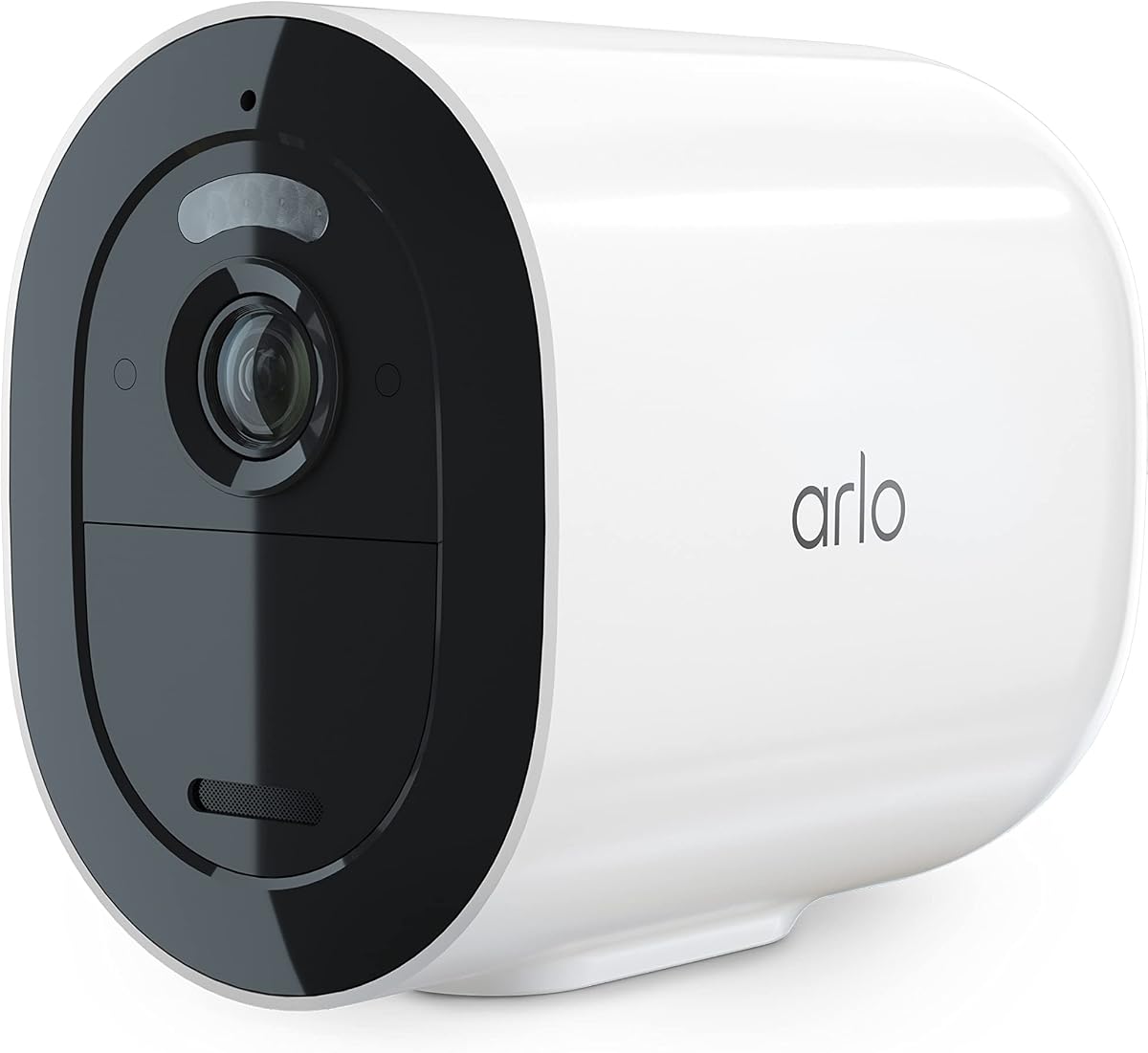
| Arlo Go | Sheds, garages and sites with no broadband | Cellular connection instead of Wi-Fi | Buy it for the SIM, budget for the data plan |
| Ring Stick Up Cam Pro | Battery flexibility in a big ecosystem | Works on Wi-Fi or optional cellular add-on | Convenient, but cloud-first by design |
| Hikvision AcuSense camera | Recorder-based systems | On-camera motion filtering | Serious kit, needs a recorder and setup knowledge |
| TP-Link Tapo C-series camera | Cheap local recording on a budget | microSD card slot | Fine for a spare room, not a hardened system |

Reolink PoE camera
- One Ethernet cable delivers both power and video, so no Wi-Fi is involved
- Records to a network video recorder or an SD card depending on the model
- Wired link is far more stable than Wi-Fi at the far end of a garden
- Needs planning and drilling, which rules out some rentals
Power over Ethernet is the cleanest answer to the question in the title. The camera talks to a recorder over a cable, and the recorder is the only thing that needs a router.
If the internet goes down, recording usually continues and you simply lose remote viewing. This is the family to shortlist if you are wiring a house or a garage and want footage that never depends on a cloud account.
It suits anyone who can run cable and wants a dependable, expandable setup. Skip it if you rent, cannot drill, or want a camera working ten minutes after unboxing.
Reolink Argus
- Battery-powered, so no mains wiring at the camera
- Records to a microSD card without a subscription
- Solar panel options extend time between charges
- Still needs Wi-Fi for live viewing and app alerts
The Argus family is the practical compromise most people actually buy. It keeps recording locally when the network drops, but you need Wi-Fi to watch live or receive notifications.
That distinction matters: offline recording is not the same as offline access. Check which one you need before assuming a battery camera solves a dead-zone problem.
It is for people with decent Wi-Fi who want footage stored at home rather than in a cloud. Skip it if there is genuinely no signal where the camera will hang.

Eufy SoloCam
- On-board storage with no mandatory cloud plan
- Battery models install without an electrician
- Straightforward app for live view and playback
- Feature set varies a lot between models in the range
SoloCam is the simplest route into local recording for a household that does not want a recorder box. It is a friendly first camera rather than a system.
Read the spec sheet carefully, because storage and power options differ across the family. Do not assume every SoloCam behaves the same way.
It suits a first-time buyer who wants one camera and no subscription. Skip it if you are building a multi-camera system with long retention.
Arlo Go
- Connects over a mobile network rather than home broadband
- Suited to outbuildings, allotments and building sites
- Battery powered with solar accessories available
- Requires a data plan, which is an ongoing cost
This is the real answer for a location with no internet at all. The camera uses a SIM, so it works where there is mobile coverage but no router.
Check coverage at the exact spot before buying, not at the front gate. Signal indoors or in a metal shed can be much worse than on the street.
It is for remote sites and outbuildings where broadband is impractical. Skip it if you have Wi-Fi already, because the data plan is pure overhead.
Ring Stick Up Cam Pro
- Battery or plug-in options in one family
- Optional cellular and power accessories for hard-to-reach spots
- Deep integration with other Ring devices
- Cloud subscription drives most of the useful features
Ring is the ecosystem pick rather than the offline pick. It can be made to work away from Wi-Fi with accessories, but the design assumes a cloud account.
That is fine if you already run Ring doorbells and want one app. It is the wrong choice if avoiding subscriptions is the whole point.
It suits households already inside the Ring ecosystem. Skip it if local-only storage is a firm requirement.
Hikvision AcuSense camera
- Built for recorder-based systems rather than app-first use
- On-camera motion filtering cuts false alerts
- Wide range of lens and housing options
- Setup is more technical than consumer kits
This is professional-leaning hardware that expects a recorder and a bit of patience. The reward is a stable system that keeps recording regardless of broadband.
Budget for the recorder, the cabling and the time. Buying one camera without the rest of the chain gets you very little.
It is for installers and confident DIYers building a fixed system. Skip it if you want an app-driven consumer camera.

TP-Link Tapo C-series camera
- Low entry cost with a microSD slot on many models
- Simple app and quick setup
- Indoor and outdoor variants across the range
- Cloud features are limited without a subscription
Tapo is the budget answer for someone who wants local recording without spending much. It is honest about being a Wi-Fi camera with an SD card, not an offline system.
Use it where the router is close and the stakes are low. It is a good nursery or pet camera, less so a perimeter defence.
It is for tight budgets and simple indoor jobs. Skip it if you need long-range reliability or hardened outdoor security.
Buying guide
Separate the three connections
Ask what you are removing. Is it the link to your phone, the link to storage, or the link between camera and recorder? Most confusion comes from treating these as one thing.
A camera can record locally with no internet and still need Wi-Fi for live view. Decide which of those you cannot live without before you shop.
Storage decides everything
Local options are a microSD card in the camera, a recorder with a hard drive, or a hub with its own storage. Each has a different failure mode and a different capacity ceiling.
Cloud storage is convenient but assumes a working internet link. If outages are your worry, local storage is the part that keeps working.
Power is the other cable
Battery cameras are easy to place but need charging or a solar panel. Mains and PoE cameras need wiring but never surprise you with a flat battery.
Match the power choice to the location, not the other way round. A camera you cannot reach safely to recharge is a camera that will eventually stop recording.
A camera that records locally or uses a cable or mobile network still functions, and a buyer's guide to security cameras explains why many models assume a Wi-Fi network is present. Picking a video doorbell means weighing daily use against problems like clipped camera angles and slow app loading. For the back fence, shed and side gate left in darkness, floodlight cameras combine lighting with recording.
FAQ
Do security cameras work without Wi-Fi?
Yes, if they record to a local card or recorder and get power from a cable. You lose remote viewing and phone alerts, but capture continues.
Can I watch a camera with no internet at all?
Only locally, for example on a monitor connected to a recorder. Remote viewing needs some route to the internet, whether broadband or cellular.
What is the difference between offline recording and offline access?
Offline recording means footage is saved without a network. Offline access means you can view it without one, which usually requires a local monitor or recorder.
Are cellular cameras a good substitute for Wi-Fi?
They are the best option where no broadband exists, such as sheds and sites. Budget for a data plan and check signal at the mounting point first.
Will a battery camera keep recording during an outage?
Often yes, to its SD card, but app access stops. Check the manual, because behaviour during outages varies between models.
Does a video doorbell work without Wi-Fi?
Rarely in a useful way. Most doorbells depend on Wi-Fi for alerts, and wired chimes only cover the basic button press.
Most people asking this question do not need a camera without Wi-Fi. They need one that keeps recording when the Wi-Fi misbehaves, which points to local storage first and everything else second.
Start with the Reolink PoE family if you can run cable, and the Argus or SoloCam families if you cannot. Then check the storage and power details on the exact model before you buy.
As an Amazon Associate we earn from qualifying purchases.







