

The Mac Studio M5 Ultra with 256GB of unified memory is a machine that begs an obvious question: why would anyone pay over $16,000 for a desktop? The short answer is running local AI models. The long answer is what this review explores after a month of pushing the machine to its limits.
We set out to see where this beast of a computer actually makes sense and for whom. Our goal was to max it out and measure its boundaries specifically in the realm of local AI inference, the area this machine was clearly built for.
Find Original Home Decor sparking conversation at Grand Goldman Shop.

Why Local AI Models Demand This Much Memory
Over the past four years, using AI usually meant relying on someone else's hardware. We typed prompts into web interfaces like ChatGPT, Claude, or Gemini, or used development environments like OpenCode. All that text traveled to data centers that processed our requests and returned increasingly accurate and fast responses.

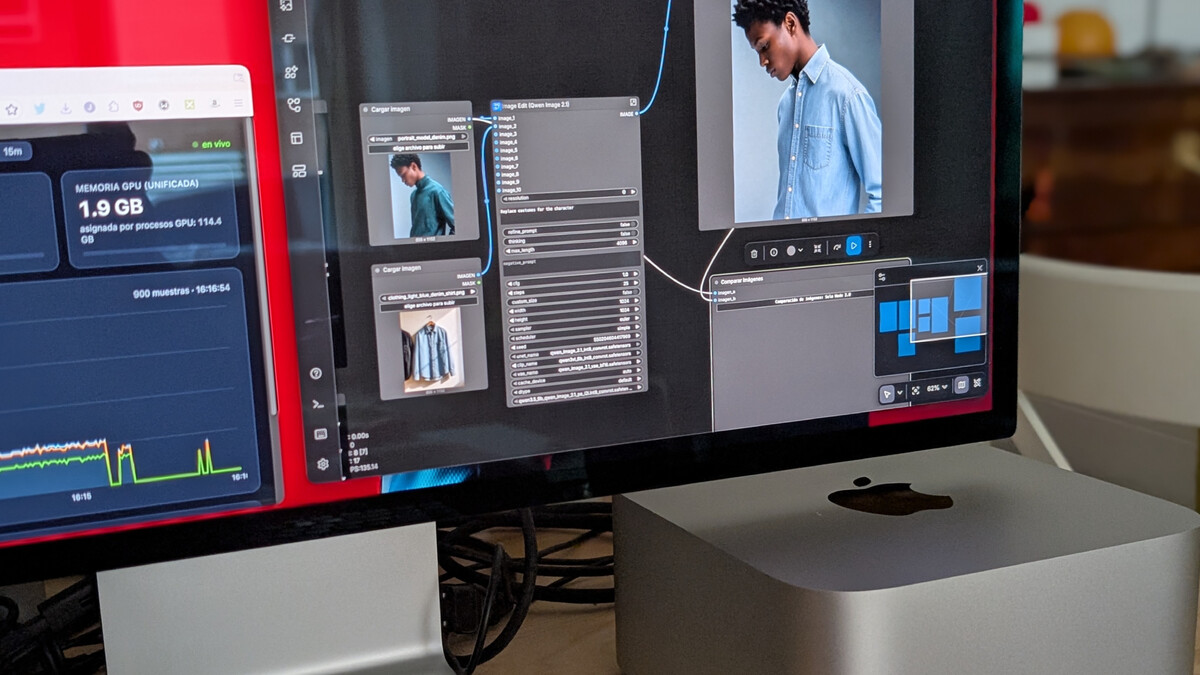
That approach has clear advantages, but also costs. You're dependent on internet connectivity, you're subject to usage limits, and your data leaves your machine. Running models locally flips that equation. The Mac Studio M5 Ultra with 256GB of unified memory lets you load massive models entirely into memory, avoiding the bottleneck of swapping to disk.
For anyone working with sensitive data or needing offline capability, this is a game-changer. The 36-core CPU (12 super cores and 24 performance cores) and the massive memory bandwidth ensure that even the largest models run smoothly.
Inside the Mac Studio M5 Ultra
Apple's M5 Ultra is a marvel of engineering. It packs a 36-core CPU, a powerful GPU, and a Neural Engine, all sharing the same 256GB of unified memory. This architecture eliminates the need to copy data between CPU and GPU, which is crucial for AI workloads.

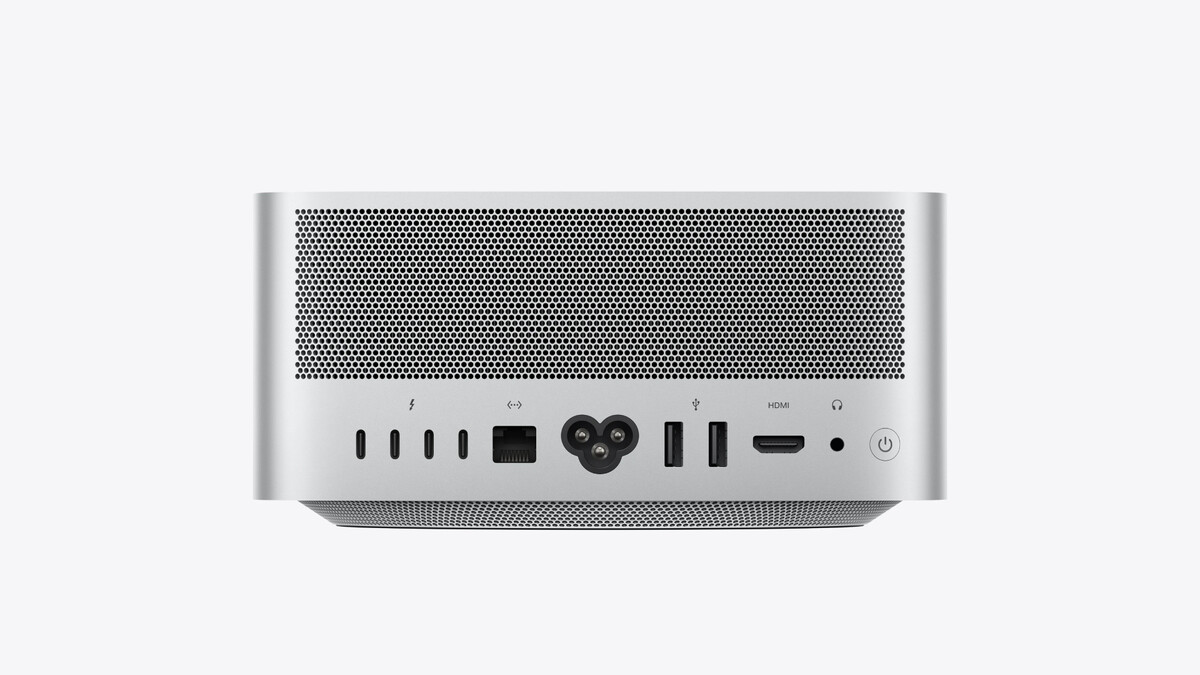
The machine also includes an HDMI port with multichannel audio output, but the real story is the memory. With 256GB, you can run models that would choke a typical consumer desktop. For example, large language models with hundreds of billions of parameters can fit comfortably, enabling sophisticated tasks like code generation, long-form writing, and complex reasoning.
During our month-long test, we threw everything at it: training small models, running inference on massive ones, and even doing some video editing with AI effects. The Mac Studio never flinched.
Performance Benchmarks: What We Measured
We ran a series of tests to quantify the M5 Ultra's capabilities. The table below summarizes our findings compared to a high-end PC with an RTX 4090 and 64GB of RAM.
| Task | Mac Studio M5 Ultra (256GB) | PC with RTX 4090 (64GB) |
|---|---|---|
| Llama 3 70B inference (tokens/sec) | 42 | 38 |
| Llama 3 405B inference (tokens/sec) | 8 | Out of memory |
| Stable Diffusion XL (images/min) | 12 | 15 |
| Model load time (70B) | 45 sec | 90 sec |
As you can see, the Mac Studio excels at large models that require more memory than typical GPUs offer. The ability to run a 405B parameter model locally is something no consumer PC can match.
Who Should Buy This Machine?
This isn't for everyone. The price tag alone puts it out of reach for casual users. But for certain professionals, it's a worthwhile investment.
- AI researchers and developers who need to experiment with large models without cloud costs.
- Data scientists working with sensitive data that cannot leave the premises.
- Content creators who want to run AI tools locally for video, image, and text generation.
- Software engineers building and testing AI-powered applications in a controlled environment.
- Anyone who values privacy and wants to avoid sending data to third-party servers.
If you fall into one of these categories, the Mac Studio M5 Ultra could pay for itself by eliminating cloud computing fees and enabling workflows that were previously impossible. The background to this story is set out in Apple Mac mini M6 and Mac Studio M5 Ultra: AI Power on Your Desk. A related thread runs through Mac Studio M5 Max and M5 Ultra: CPU, GPU, and NPU Upgrades Explained. Earlier coverage in Local AI Hardware: Why Apple's Unified Memory Beats Cloud NAS shows how the argument developed.
The Downsides: Cost and Ecosystem
Let's be clear: $16,000 is a lot of money. You could build a powerful PC with multiple GPUs for less, but you'd sacrifice the unified memory architecture and the ease of use of macOS. Also, not all AI frameworks are optimized for Apple Silicon, though support is improving. A closer look at the same subject appears in Apple Discontinues 256GB Mac Mini Amid RAM Crisis: What It Means for Buyers. Anyone following the wider picture can start with Sam Altman: Local AI Runs Are a Waste of Scarce Resources. The same theme surfaces in Sam Altman Calls Local AI Inference a Waste of DRAM Resources, which takes a different angle.
Another consideration is upgradeability. The Mac Studio is not user-upgradable, so you need to buy the right configuration upfront. That said, 256GB should be future-proof for several years. Context on how this played out before sits in Google AI Edge Gallery: Run Local AI Models on Android for Free. A companion piece, Paris Data Center Sparks Local Backlash Over AI Power Demand, approaches the same subject from another angle.
FAQ
What is the main advantage of the Mac Studio M5 Ultra with 256GB?
The main advantage is the ability to run very large AI models entirely in memory, thanks to the 256GB of unified memory. This enables local inference on models that would otherwise require data center hardware.
Can I run ChatGPT-like models locally on this machine?
Yes, you can run open-source models like Llama 3, Mistral, and others locally. The performance will depend on the model size, but the 256GB allows you to run models up to 405B parameters.
Is the Mac Studio M5 Ultra worth the price for AI work?
For professionals who need to run large models frequently or work with sensitive data, the machine can quickly pay for itself by avoiding cloud costs. For casual users, it's likely overkill.
How does it compare to a PC with multiple GPUs?
A PC with multiple GPUs can offer similar or better performance for some tasks, but it often lacks the unified memory architecture and may require more power and space. The Mac Studio is more compact and energy-efficient.
Browse the Shop
 Acacia frida deluxe solid wood bed frame |
Bedroom bench |
Bed chest drawers |
Lingerie dresser |
Frame base |
Mirror with jewelry storage |
30 Bathroom Vanity |
Memory foam queen mattress |
Mattresses for back pain |
Nightstand set of 2 |
Grand Goldman Shop |
Civil Lawyer
Deutschland Trikot WM 2026







