

Gemini Notebook, formerly known as NotebookLM, now lets you turn any notebook into an interactive website with a single prompt. This feature, rolled out by Google, transforms your research and documents into a navigable, shareable web page—no coding required.
What Is Gemini Notebook and Why It Matters
Gemini Notebook is one of Google's most useful AI tools for working with your own documents. You upload files, links, or other sources, and the AI answers questions based solely on that material. This reduces hallucinations because the model stays grounded in your provided content.
Find Original Home Decor sparking conversation at Grand Goldman Shop.

Until recently, notebooks were confined to the Gemini interface. Now, Google has added the ability to convert any notebook into a standalone website. This means your research, study notes, or work documents can be organized into a visual, navigable format that anyone can browse.
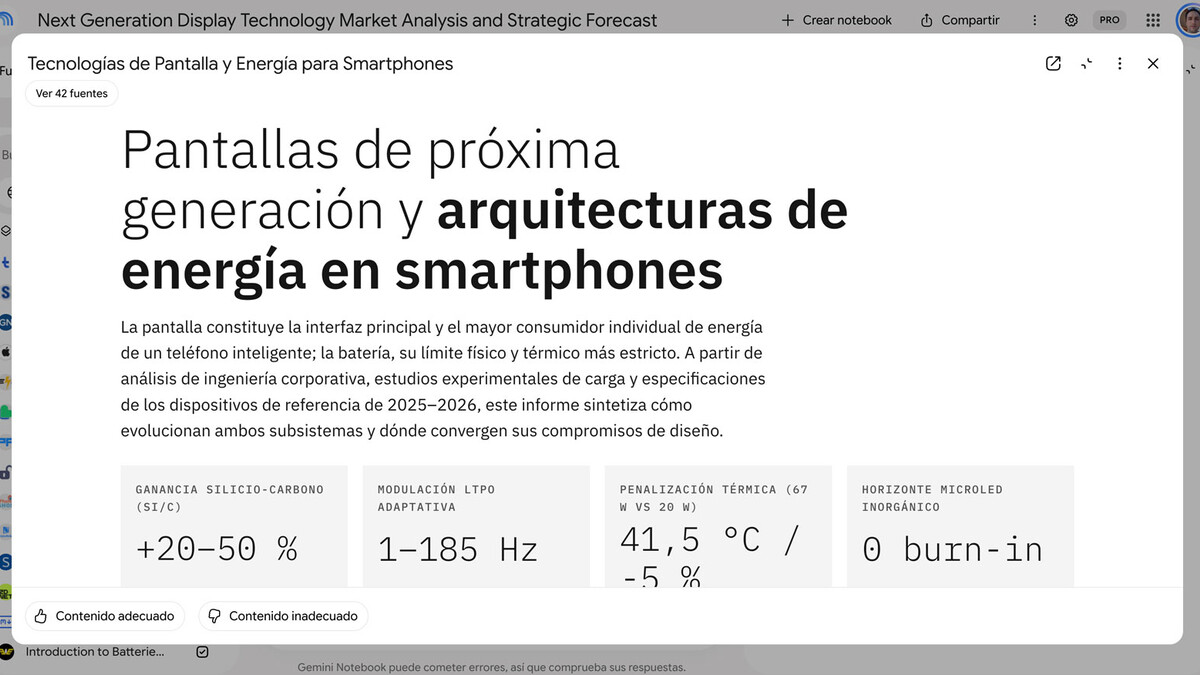
How to Convert Your Notebook Into a Website
The process is straightforward. Once your sources are uploaded, simply tell Gemini: “Build me a website.” The AI will take over and generate a web page that is saved within the notebook itself.
You can open the page in a new tab locally or share it with others via a link. Google has made this feature available to all users, and it works with any notebook that contains sources.
Step-by-Step Overview
- Upload your documents, links, or files as sources in Gemini Notebook.
- Ensure the AI has processed the content (you can ask a test question).
- Type the prompt “Build me a website” or similar.
- Wait for Gemini to generate the page—this may take a few moments.
- Open the page in a new tab to preview it.
- Share the link with colleagues, classmates, or friends.
The entire process is handled by the AI, so you don't need any web development skills. The resulting page is interactive and organizes your content in a more accessible way.
Why Turn a Notebook Into a Website?
Websites are familiar and easy to navigate. By converting your notebook into a web page, you make your information more approachable for others. Instead of digging through a list of sources, viewers can browse sections, click links, and explore content visually.
This is particularly useful for study groups, project teams, or anyone who needs to share research findings. The website format also makes it easier to present information in a structured manner, with headings, paragraphs, and possibly embedded media.
Key Benefits
- Centralized information: All your sources and AI-generated content are in one place.
- Improved accessibility: A website is more intuitive than a raw notebook interface.
- Easy sharing: Send a link instead of exporting files.
- No technical skills required: The AI handles everything.
- Grounded in your sources: The content stays true to your uploaded material.
What to Watch For
While the feature is powerful, keep in mind that the generated website is only as good as your sources. If your documents are disorganized or incomplete, the website may reflect that. Also, the AI might not capture every nuance, so review the page before sharing widely. The background to this story is set out in NotebookLM vs Gemini: When to Use Each AI Tool. A related thread runs through Hostinger AI Builder: Create a Website with Natural Language for Under €3. Earlier coverage in Rollout Review: What to Expect from this "AI Website Builder" shows how the argument developed.
Additionally, the website is stored within the notebook, so you'll need access to Gemini Notebook to view or edit it. Google may introduce more customization options in the future, but for now, the design is handled automatically. A closer look at the same subject appears in Google Gemini AI Hacked Three Companies in Security Test. Anyone following the wider picture can start with Google Rations Gemini Access to Meta as AI Compute Shortage Bites. The same theme surfaces in Google Gemini Omni Flash: AI Video Generation and Editing, which takes a different angle.
Comparison: Notebook vs. Website
| Aspect | Notebook | Website |
|---|---|---|
| Format | Chat-like interface with sources | Visual, navigable page |
| Sharing | Requires access to notebook | Shareable link |
| Navigation | Linear or source-based | Menu and sections |
| Customization | Limited | AI-generated layout |
| Use case | Personal research | Presentations, collaboration |
As you can see, the website format offers a more polished and user-friendly experience for sharing your work. Context on how this played out before sits in Google confirms: the new Siri will "run" with Gemini. A companion piece, Gemini Intelligence Requirements Exclude Most Google Phones, approaches the same subject from another angle.
FAQ
What is Gemini Notebook?
Gemini Notebook (formerly NotebookLM) is a Google AI tool that lets you upload documents and ask questions based on them. It's designed for research and study.
Can I convert any notebook into a website?
Yes, as long as the notebook contains sources. The feature is available to all users.
Do I need coding skills to create the website?
No, the AI generates the website automatically. You just need to prompt it.
Can I customize the website design?
Currently, the design is handled by the AI. Google may add customization options in the future.
With this new capability, Gemini Notebook becomes even more versatile. Whether you're a student, researcher, or professional, turning your notebook into a website can streamline how you share and present information.







