

Most security cameras sold today assume a Wi-Fi network exists and stays up. That assumption fails more often than people expect: a router reboot during a storm, a dead broadband line, a garden office at the end of the plot, or a rental where you cannot drill and cable freely. The good news is that plenty of cameras record perfectly well without any Wi-Fi at all — they simply store footage locally, run on a cellular SIM, or send video down an Ethernet cable instead of through the air.
The catch is that "works without Wi-Fi" can mean three quite different things. Some cameras record to a local card but still need a network to show you the footage. Some run entirely off a mobile data plan. Others need a cable but no router at all. Below we sort the real product families into those buckets, explain what you lose when Wi-Fi disappears, and flag the models most people end up buying for each job.
Find Original Home Decor sparking conversation at Grand Goldman Shop.


How we chose
We shortlisted cameras and doorbells that either keep recording with the router switched off, or can be set up and viewed without a home network. We weighed five things: whether recording continues locally during an outage; how footage is retrieved afterwards (card, base station, NVR, or cloud); whether a paid subscription is required for basic use; how hard the camera is to install without existing wiring; and how well the app behaves when the camera is on a cellular or wired connection. We deliberately excluded cameras that become paperweights without a cloud plan, and we avoided quoting prices because they move constantly.
Comparison table
| Product | Best for | Key feature | Verdict |
|---|---|---|---|
| Reolink Argus series | Renters wanting battery power and a local card | Records to microSD with no hub or subscription | Strong no-Wi-Fi recording, weaker live view when offline |
| Eufy SoloCam series | Garden and driveway coverage without wiring | On-camera storage and solar options | Good balance of local storage and app polish |
| Reolink RLK PoE series | Whole-property wired coverage | Power and video over one Ethernet cable to an NVR | Best option if you can run cable; no Wi-Fi needed |
| Arlo Go series | Sheds, sites and holiday homes with no broadband | Cellular SIM for remote viewing | Truly network-free viewing, but data costs add up |
| Ring Stick Up Cam series | Mixed indoor and outdoor use with optional cellular | Battery model with a plug-in and LTE variant | Convenient ecosystem; check the plan before buying |
| Eufy Video Doorbell series | Front doors where the router is far away | Local storage in the chime or doorbell itself | Keeps the doorbell useful during outages |
| Blink Outdoor series | Cheap multi-camera setups on a budget | Long battery life and a sync module hub | Easy to place, but heavily cloud-dependent |

Reolink Argus series
- Records to a microSD card inside the camera with no hub, router or subscription
- Battery models go anywhere within reach of a mounting screw
- Solar panel accessories keep them topped up in sunny spots
- Footage is recoverable by pulling the card even if the network never comes back
The Argus family is the simplest answer to the question. Because the card lives in the camera, recording continues when the router is off; you just cannot watch live until the network returns. That is exactly the trade-off most people want from a no-Wi-Fi camera: evidence keeps accumulating, viewing waits. The app is functional rather than elegant, and motion alerts are basic, but the core job is done without a monthly bill.
Buy it if you rent, want battery placement freedom, or refuse to pay for cloud storage. Skip it if you need real-time alerts pushed to your phone during an outage, or if you want person-and-vehicle detection at a high standard.
Eufy SoloCam series
- On-camera storage with no requirement for a home hub
- Several models ship with or accept solar panels
- Cleaner app experience than most budget rivals
- Local recording survives a broadband failure
SoloCam sits between the budget end and the premium systems. You still need Wi-Fi for setup and live viewing, but the recording itself is local, so a dead router does not stop the camera working. The solar variants are the practical pick for a shed, garage or back gate where running power is more trouble than it is worth. Detection and notification quality is a step above the cheapest options.
Buy it if you want local storage without wrestling with an NVR. Skip it if you need cellular independence or multi-camera wired coverage across a large plot.
Reolink RLK PoE series
- One Ethernet cable per camera carries both power and video
- Records to a recorder on your own shelf, no cloud needed
- Works on a local network even when the internet is down
- Scales to four, eight or more cameras on one system
This is the answer for anyone renovating or building. Power-over-Ethernet cameras connect to an NVR that stores everything locally, and because the traffic stays on your own network, an internet outage does not interrupt recording or local viewing. It is the most reliable setup in this guide and the most work to install, since you need to run cable and often drill through walls.
Buy it if you own the property and can plan cabling once. Skip it if you rent, move often, or want something running in an afternoon.
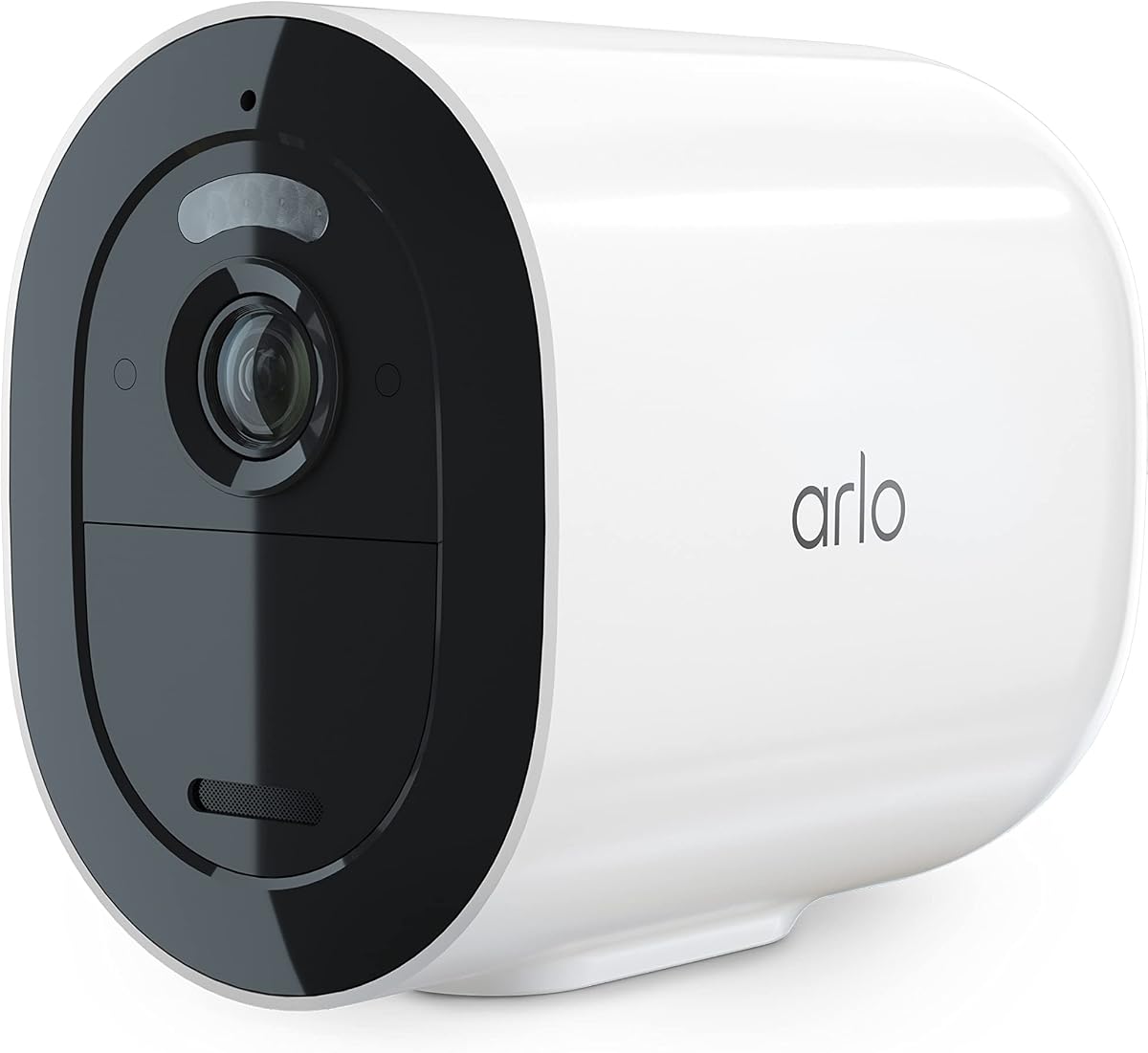
Arlo Go series
- Runs on a mobile data SIM rather than your home broadband
- Remote viewing works from anywhere, including an empty property
- Battery-powered and weather-resistant for site or shed use
- No router, no landline, no engineer visit
When there is genuinely no broadband — a building site, a lock-up, a rural outbuilding — a cellular camera is the only way to get remote alerts. The Arlo Go family does that job, but it is the most expensive way to run a camera over time because you pay for data and usually a subscription on top. Check coverage at the exact mounting spot before committing.
Buy it if remote viewing matters more than running costs. Skip it if you have any working broadband at the property, where a local-storage camera is cheaper and more private.

Ring Stick Up Cam series
- Battery, plug-in and LTE variants in the same family
- Fits neatly with Ring doorbells and alarms in one app
- Quick-release battery makes recharging painless
- LTE version works without any home network
Ring's strength is the ecosystem: one app for doorbell, cameras and alarm. The standard battery and plug-in models still rely on Wi-Fi for viewing and, in most configurations, on a subscription for recorded history, so they are not true no-Wi-Fi cameras. The LTE variant is the one to look at if you need independence, and it is worth reading the plan terms carefully before buying.
Buy it if you are already inside the Ring ecosystem and want one app. Skip it if you want local recording with no ongoing fee.
Eufy Video Doorbell series
- Local storage in the doorbell or an included chime
- Keeps recording when the router drops out
- Wired and battery versions cover most doorways
- No subscription needed for basic clip storage
Doorbells are where Wi-Fi weakness hurts most, because the front door is usually the furthest point from the router. Eufy's local-storage approach means a dropped connection does not lose the clip of the person at your door; you retrieve it later. Installation is genuinely DIY-friendly on the battery models.
Buy it if you want a doorbell that still captures events during outages. Skip it if you need live two-way talk at all times regardless of network state.
Blink Outdoor series
- Very long battery life on standard cells
- Sync module hub keeps clips local as a backup option
- Cheap to add extra cameras to one system
- Simple app for basic motion alerts
Blink is the value option and works well for multi-camera coverage, but be honest about the dependency: without Wi-Fi you lose live view and most notifications, and the local backup requires the sync module plus a USB drive. It is a good system, not a no-network system.
Buy it if you want several cameras cheaply and have solid Wi-Fi. Skip it if uninterrupted recording during outages is the priority.
Buying guide
What "works without Wi-Fi" actually means
Separate three questions before you buy. Does the camera keep recording when the router is off? Can you retrieve that footage afterwards? And can you view it live from somewhere else? A camera with a memory card answers yes to the first two and no to the third. A cellular camera answers yes to all three but costs money every month. A PoE system answers yes to the first two and usually yes to local live view, but not remote view without internet. Decide which of those you actually need, because the price and complexity jump sharply between them.
Storage, power and installation
Local storage comes in four flavours: a card inside the camera, a base station or sync module, a recorder on your shelf, or a USB drive plugged into a hub. Cards are cheapest and simplest but are lost if the camera is stolen, so favour models where the card is not obvious. For power, battery is easiest to place and needs periodic charging, solar reduces that chore in sunny locations, and PoE is permanent but requires cable runs. If you rent, battery plus card is the low-risk combination; if you own the place, cabling once is worth it.
What you give up and what to check before buying
Without Wi-Fi you generally lose instant push alerts, live two-way talk and cloud backup. Check three things in the spec sheet: whether a subscription is required for recording at all, whether the camera keeps recording during an internet outage or only during a power cut, and whether the app supports local-only viewing. Also confirm the camera can be set up without a cloud account if privacy matters to you, and check cellular coverage on site before buying an LTE model. Finally, remember that a camera without a network still needs power — a dead battery is the most common reason a "no-Wi-Fi" camera stops recording.
FAQ
Can a security camera record without any internet connection?
Yes, if it stores footage locally — on a microSD card, a base station, or a recorder. Recording is separate from transmission. The camera will keep capturing motion events with the router switched off, and you retrieve the clips later by removing the card or reconnecting to the network.
Can I watch my camera live with no Wi-Fi?
Only in specific cases: a camera on a local network you can reach directly, a monitor-style system with its own screen, or a cellular camera with a data plan. A standard Wi-Fi camera with a memory card cannot be viewed remotely while the network is down.
Do cellular security cameras need a subscription?
They need a data SIM, which is a recurring cost, and most brands also sell a cloud plan for storage and smart alerts. Some allow local card storage to reduce the plan, but you should assume a monthly data charge as a baseline for any LTE camera.
Are battery cameras a good choice for areas with no Wi-Fi?
They are good for placement, not for connectivity. Battery power lets you mount a camera far from mains wiring, but the camera still needs either Wi-Fi, a cable, or a SIM to send footage. Pair a battery camera with local card storage if outages are your concern.
What happens to my recordings during a power cut?
If the camera and router both lose power, recording stops. A camera on a battery or a PoE system with a battery-backed recorder keeps going. This is why an uninterruptible power supply on your router and recorder is often a better investment than a more expensive camera.
Is a wired system more secure than a Wi-Fi camera?
Generally yes, for reliability and privacy. PoE cameras keep footage on your own network, are harder to jam, and do not depend on cloud services. The trade-off is installation effort and the need to plan cable routes before you buy.
If your priority is evidence that survives an outage, buy a camera with local card storage or a PoE recorder and accept that live viewing may pause. If you need eyes on a property with no broadband at all, a cellular camera is the only real answer, and it is worth the ongoing cost. Either way, sort out power backup before you spend more on cameras.
As an Amazon Associate we earn from qualifying purchases.







